
Article Summary: Outdoor Digital Signage helps businesses communicate with customers in busy public spaces, improve message visibility, promote products in real time, and deliver consistent information across multiple locations. However, outdoor installations face challenges that indoor screens rarely encounter, including direct sunlight, rain, dust, temperature fluctuations, vandalism, and unreliable connectivity. This guide explains how outdoor digital displays work, which specifications matter most, how to select the right solution, and how to avoid common purchasing and maintenance mistakes. It also explores practical applications across retail, transportation, hospitality, healthcare, and public services, helping buyers make informed decisions when evaluating solutions from providers such as CCETOUCH.
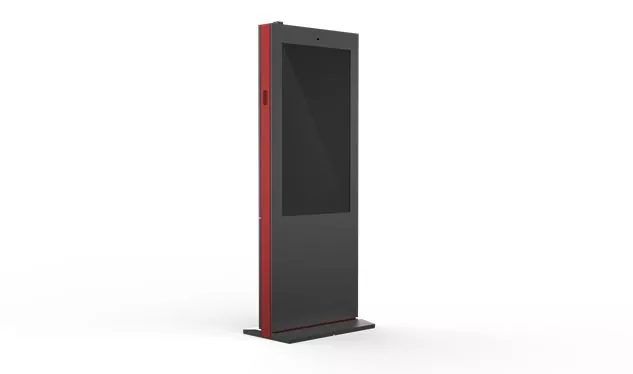
1. Why Does Outdoor Digital Signage Matter for Modern Businesses?
Outdoor communication has a demanding job: attract attention quickly, deliver a clear message, and remain dependable in an environment that constantly changes. Traditional printed posters and static signs can communicate basic information, but they often require manual replacement whenever prices, promotions, schedules, or public notices change. Outdoor Digital Signage gives organizations a more flexible way to manage these messages through electronic displays.
From shopping centers and restaurant entrances to transport hubs and commercial buildings, digital screens can present vivid images, videos, directions, announcements, and promotional content. Businesses can adapt messages to different locations, campaigns, or operating hours without printing and distributing new materials for every update.
Improve Visibility in Busy Environments
Outdoor audiences are often moving, distracted, or viewing a screen from a distance. A well-designed display uses suitable brightness, readable typography, strong contrast, and concise messaging to communicate information quickly. This is particularly valuable near entrances, pedestrian routes, parking facilities, and roadside commercial areas where people may only have a few seconds to notice a message.
Update Information Without Replacing Printed Materials
Digital content can be changed to reflect new offers, updated business hours, event schedules, weather-related notices, or operational announcements. When displays are connected to a suitable content management system, authorized staff may update multiple screens from a central location. This can reduce the labor and logistics involved in maintaining signage across several branches.
Create a More Consistent Customer Experience
Businesses operating across multiple sites need reliable brand presentation and accurate information. Centralized content management helps standardize logos, colors, campaign messages, and approved layouts while allowing location-specific information where necessary. Clear wayfinding and timely announcements can also reduce confusion for visitors.
2. What Challenges Can Reduce Outdoor Display Performance?
Outdoor displays are exposed to conditions that can shorten equipment life or make content difficult to read. Understanding these risks before purchasing helps buyers avoid costly replacements, interruptions, and customer complaints.
Direct Sunlight and Glare
Sunlight can wash out images, reduce perceived contrast, and make text difficult to read. A display that performs well in a shaded entrance may be unsuitable for an open plaza or sun-facing storefront. Buyers should evaluate brightness specifications together with screen reflections, installation orientation, and the amount of direct sunlight expected throughout the day.
Rain, Dust, and Moisture
Water entering an enclosure can damage electronic components, while dust may obstruct ventilation or accumulate on internal surfaces. Outdoor installations need an enclosure and sealing strategy suited to the actual exposure. An IP rating can help indicate protection against dust and water under defined test conditions, but it does not automatically establish resistance to every environmental hazard.
Heat, Cold, and Temperature Changes
High temperatures can increase internal component stress, while low temperatures may affect startup behavior and certain display components. Rapid temperature changes can also contribute to condensation if the enclosure and thermal management system are poorly designed. Check the manufacturer's specified operating and storage temperature ranges rather than assuming that every product labeled for outdoor use can withstand every climate.
Physical Damage and Public Access
Displays installed in open public areas may face accidental impacts, tampering, or deliberate vandalism. Depending on the location, buyers may need reinforced mounting, impact-resistant protective glass, secure cable routing, tamper-resistant fasteners, or a protective enclosure. These features should be selected according to the site's actual risk rather than added indiscriminately.
Connectivity and Power Interruptions
A display that depends on a continuous network connection may fail to receive updated content when connectivity is lost. Unstable power can also interrupt playback or cause equipment to restart unexpectedly. Local content storage, suitable power protection, remote monitoring, and clear recovery procedures can improve operational continuity.
3. Which Features Are Essential in Outdoor Digital Signage?
Outdoor displays vary significantly in brightness, protection, construction, operating conditions, and management capabilities. Comparing these specifications helps buyers identify a product that fits the site rather than paying for features that do not solve their real problems.
| Feature | Why It Matters | What Buyers Should Check |
|---|---|---|
| High brightness | Improves readability in bright outdoor conditions. | Rated brightness, viewing conditions, reflections, and any automatic brightness control. |
| Weather protection | Helps protect the display from rain and dust. | Verified IP rating, sealing design, drainage, and installation requirements. |
| Thermal management | Helps maintain suitable internal operating temperatures. | Operating temperature range, cooling design, and heat dissipation requirements. |
| Protective construction | Reduces the risk of damage in public environments. | Glass strength, enclosure materials, mounting security, and site-specific protection. |
| Remote content management | Simplifies content updates across one or many displays. | Software compatibility, permissions, scheduling, monitoring, and licensing costs. |
| Connectivity | Supports content delivery and remote administration. | Ethernet, Wi-Fi, cellular options where available, and offline playback support. |
| Serviceability | Can reduce repair time and maintenance disruption. | Component access, spare-part availability, warranty terms, and technical support. |
Brightness Should Match the Installation Site
Brightness is commonly expressed in nits, a unit of luminance. Outdoor displays often require substantially higher brightness than indoor screens, especially when exposed to direct sunlight. Nevertheless, the highest available brightness is not always the best choice. A screen under a covered walkway may have different needs from one installed in an open area, and excessive brightness at night can create discomfort or unnecessary energy use.
Ask the supplier to confirm the recommended brightness for your viewing distance, sunlight exposure, operating schedule, and local requirements. Automatic brightness adjustment can help balance daytime visibility and nighttime comfort when properly configured.
Protection Ratings Need Context
Ingress Protection ratings describe tested resistance to solid particles and water. The first digit relates to protection against solids, while the second relates to water ingress. A higher rating can be useful in demanding environments, but the full installation still matters. Cable glands, service panels, seals, ventilation openings, and mounting orientation can affect real-world protection.
Content Management Should Fit Your Workflow
For a single display, simple local content updates may be sufficient. For a chain of stores or a transportation network, centralized scheduling and role-based access can become essential. Before choosing a platform, confirm supported file formats, playlist scheduling, remote diagnostics, network security, and whether software subscriptions are required.
4. Where Is Outdoor Digital Signage Most Useful?
The right application depends on the audience, location, viewing time, and type of information being communicated. Outdoor displays are especially useful when messages need frequent updates or when people benefit from clear, immediately visible information.
Retail Stores and Shopping Centers
Retailers use outdoor displays to highlight seasonal promotions, new arrivals, store hours, loyalty campaigns, and entrance information. A screen positioned near a storefront can attract attention before customers enter. Content should remain concise and visually consistent with the brand, with important offers readable from the expected viewing distance.
Restaurants and Quick-Service Businesses
Restaurants can use outdoor digital menus to display product images, current prices, meal combinations, and promotional items. Drive-through installations require careful attention to viewing distance, glare, menu organization, and local traffic safety. If pricing or availability changes regularly, a well-managed content workflow can reduce the time required to update menus.
Transportation and Public Infrastructure
Stations, parking facilities, airports, and transit stops can use digital displays for directions, arrival information, service announcements, parking availability, and emergency communication. In these environments, accuracy and readability are more important than decorative effects. Organizations should establish procedures for reviewing information and correcting outdated messages quickly.
Hotels, Resorts, and Entertainment Venues
Hotels can display welcome messages, event schedules, restaurant promotions, and directional information. Stadiums, exhibition centers, and entertainment venues can use outdoor screens to communicate entry instructions, event details, queue guidance, and sponsor messages. The system should be designed for peak attendance periods as well as normal operations.
Healthcare Facilities and Educational Campuses
Hospitals, clinics, schools, and universities may use outdoor signage for building directions, visiting information, campus notices, event schedules, and safety announcements. Information should be clear, accessible, and reviewed regularly. Where content has operational or safety implications, the organization should define who can publish and approve it.
5. How Can Buyers Choose the Right Outdoor Digital Signage?
Choosing a display based only on price or screen dimensions can create problems later. A structured evaluation helps align technical specifications with the environment, operating needs, and budget.
Step 1: Define the Communication Objective
Decide what the screen must accomplish. Is it intended to attract passersby, display a changing menu, provide directions, share time-sensitive announcements, or coordinate communication across several locations? A clear objective determines the appropriate display format and software requirements.
Step 2: Assess the Installation Environment
- Measure the available installation space and viewing distance.
- Record sunlight exposure at different times of day.
- Identify likely rain, dust, wind, heat, cold, and condensation risks.
- Check mounting surfaces, cable routes, drainage, and access for servicing.
- Evaluate public access, potential impact, and vandalism risks.
- Confirm local electrical, building, signage, and accessibility requirements.
Step 3: Match the Display to Its Use
Compare screen size, resolution, brightness, viewing angle, orientation, operating temperature, and protection ratings. Resolution should be appropriate for the screen dimensions and typical viewing distance. Fine text and detailed graphics may need greater pixel density than simple promotional messages.
Step 4: Review Software and Integration Needs
Confirm how content will be uploaded, approved, scheduled, and monitored. Businesses with several branches may need central control, location-specific playlists, permission management, and reporting. Check compatibility with existing systems before assuming that a new display can integrate with every content platform.
Step 5: Evaluate Supplier Support
Ask for detailed specifications, installation guidance, warranty coverage, spare-part availability, and documented test information. Clarify whether the supplier supports commissioning, remote troubleshooting, repairs, or replacement components. Reliable support can be particularly important when a display is part of daily business operations.
Step 6: Test Before Large-Scale Deployment
For multi-site projects, consider a pilot installation in a representative location. Observe screen visibility during bright daylight and at night, test content updates, monitor thermal performance, and confirm that maintenance access is practical. A pilot can expose installation problems before they are repeated across a larger network.
| Buyer Priority | Questions to Ask |
|---|---|
| Visibility | Can the content be read in the site's actual lighting conditions? |
| Durability | Are the enclosure and environmental specifications suitable for local weather? |
| Operations | Can staff update content easily, and what happens if the network goes offline? |
| Maintenance | Can technicians access serviceable parts without excessive downtime? |
| Budget | What are the purchase, installation, software, energy, and service costs over time? |
6. How Can Installation and Maintenance Improve Reliability?
Even a well-specified display can underperform if it is installed incorrectly or neglected after commissioning. A planned installation and maintenance process protects the investment and helps reduce avoidable downtime.
Choose a Suitable Mounting Position
Position the screen for clear viewing without obstructing walkways, emergency routes, vehicle sightlines, or accessible paths. Consider glare, the direction of sunlight, viewing height, structural loading, wind exposure, and the need for future servicing. Outdoor mounting structures should be appropriate for the screen's weight and the local environmental conditions.
Plan Electrical and Network Infrastructure
Use appropriately rated electrical components and have installation work performed by qualified professionals in accordance with applicable local regulations. Cable entry points should be protected against moisture, and external connections should be selected for the environment. Where power instability is a concern, discuss suitable surge protection and power continuity measures with the installation team.
Manage Heat and Moisture
Follow the manufacturer's requirements for ventilation, clearances, cooling, and enclosure placement. Do not block ventilation openings or add unapproved fans and heaters. In humid or temperature-variable environments, ask how the enclosure manages condensation and whether specific installation precautions are required.
Create a Routine Inspection Schedule
- Clean the exterior screen surface using manufacturer-approved methods.
- Inspect seals, cable entries, mounting hardware, and enclosure condition.
- Check for brightness changes, dead pixels, flickering, or color inconsistencies.
- Verify that scheduled content displays correctly and remains current.
- Review network connectivity, system logs, and remote monitoring alerts.
- Document faults, repairs, and recurring performance issues.
Inspection frequency should reflect the environment and operating schedule. A display in a dusty industrial area may require more frequent cleaning than one installed in a sheltered commercial entrance. Follow the product documentation and avoid opening sealed enclosures unless the service procedure permits it.
7. How Should Businesses Calculate the Total Cost of Outdoor Digital Signage?
The purchase price is only one part of the overall investment. A lower-cost display may require more maintenance, offer limited environmental protection, or lack the software features needed for efficient operation. Conversely, a premium model may provide capabilities that a simple installation does not need.
Consider the following cost categories before making a decision:
- Hardware: Display, enclosure, controller, mounting hardware, and optional protective components.
- Installation: Site preparation, structural work, electrical connections, network setup, and commissioning.
- Software: Content management licenses, cloud subscriptions, integrations, and ongoing technical support.
- Energy: Electricity consumption based on brightness, operating hours, cooling requirements, and local energy prices.
- Maintenance: Cleaning, inspections, repairs, replacement components, and technician visits.
- Downtime: Lost promotional opportunities or operational disruption when the screen is unavailable.
To compare products fairly, estimate these expenses over the same planning period and under the same usage assumptions. Ask suppliers for power consumption data under representative operating conditions rather than relying on a single maximum rating. Where energy use matters, automatic brightness control and a sensible operating schedule may help reduce unnecessary consumption.
8. What Common Purchasing Mistakes Should Buyers Avoid?
Choosing a Screen That Is Not Bright Enough
Indoor displays are not automatically suitable for outdoor use. A screen that looks vivid in a showroom may become difficult to read in direct sunlight. Verify the product's intended environment and evaluate brightness together with reflections and viewing distance.
Assuming Every Outdoor Display Is Fully Weatherproof
The term “outdoor” does not guarantee suitability for every climate or installation method. Review protection ratings, operating temperature ranges, maintenance requirements, and any limitations relating to wind-driven rain, salt exposure, dust, or direct sunlight.
Ignoring Software Costs and Compatibility
A display may require a separate player, software subscription, or specific network setup. Clarify these requirements before purchasing, particularly if your organization already uses a content management platform or intends to operate displays across multiple locations.
Overlooking Repair Access
A screen mounted too high or placed in a difficult-to-access enclosure may increase service costs. Plan for safe inspection, cleaning, and component replacement from the beginning. Ask whether routine servicing can be completed without removing the entire installation.
Publishing Overloaded or Outdated Content
High-resolution graphics cannot compensate for confusing messages. Too much text, weak contrast, or frequent visual effects may make important information harder to understand. Establish a content approval process, use readable typography, and assign responsibility for removing expired promotions and correcting inaccurate details.
9. How Is Outdoor Digital Signage Evolving?
Outdoor display technology continues to develop as businesses seek more efficient operations, more responsive communication, and better visibility into equipment performance. Several trends are influencing how organizations plan new installations.
Remote Monitoring and Predictive Maintenance
Connected displays can provide status information such as device availability, playback errors, temperature alerts, or connectivity problems, depending on the hardware and software. This information can help support teams identify issues earlier and prioritize service visits. More advanced monitoring may support predictive maintenance, although its effectiveness depends on data quality and system capabilities.
Adaptive Content and Brightness
Light sensors can help displays adjust brightness to changing ambient conditions. Content scheduling can also align messages with opening hours, event schedules, or approved campaigns. These functions should be configured to preserve readability, avoid disruptive nighttime brightness, and comply with relevant local requirements.
More Integrated Communication Systems
Organizations increasingly seek ways to manage screens alongside other communication tools. Integration can support consistent messages across locations, provided the systems use compatible interfaces and appropriate access controls. Buyers should evaluate cybersecurity, software updates, account permissions, and data handling as part of the overall system design.
Energy-Conscious Operation
Efficient components, brightness adjustment, sensible operating schedules, and appropriate thermal design can help control energy use. The most effective approach is to measure actual consumption and select features that suit the installation rather than relying on broad efficiency claims.
These developments do not eliminate the fundamentals of outdoor signage. Visibility, environmental suitability, installation quality, secure content management, and dependable service remain central to a successful project.
10. Frequently Asked Questions About Outdoor Digital Signage
1. What is Outdoor Digital Signage?
Outdoor Digital Signage refers to electronic displays designed to present digital content in exterior or exposed environments. Common uses include advertising, digital menus, public information, wayfinding, event announcements, and transportation updates. The appropriate specifications depend on the location and intended purpose.
2. How bright should an outdoor digital display be?
The required brightness depends on direct sunlight, shade, screen reflections, viewing distance, and time of operation. Direct-sunlight installations generally require higher brightness than sheltered locations. Ask the manufacturer to recommend a suitable luminance level for the actual installation conditions.
3. Are outdoor digital displays waterproof?
Some outdoor displays are designed with protection against rain and dust, but the level of protection varies. Check the verified IP rating, installation instructions, cable-entry design, and operating limitations. No single rating should be interpreted as protection against every environmental condition.
4. Can outdoor signage operate in very hot or cold weather?
Only within the operating conditions specified for the particular model and installation. Buyers should verify the permitted temperature range and determine whether additional heating, cooling, ventilation, or condensation management is necessary.
5. Can content be updated remotely?
Many systems support remote updates through a network-connected content management platform. Available functions vary by product. Confirm scheduling, user permissions, remote monitoring, offline playback, software fees, and compatibility with your existing systems before purchasing.
6. What happens if the internet connection fails?
Some systems can continue displaying content stored locally, while others depend more heavily on an active connection. If uninterrupted playback is important, ask the supplier how the device handles disconnection, whether it caches scheduled content, and how it resumes synchronization after service returns.
7. How often should outdoor digital signage be maintained?
Maintenance frequency depends on the environment, usage, product design, and manufacturer instructions. Regular checks should cover screen cleanliness, enclosure seals, mounting hardware, content playback, network status, and visible signs of damage. Dusty, humid, or high-traffic locations may need more frequent inspections.
8. Is outdoor digital signage suitable for small businesses?
Yes. Small businesses can use outdoor displays for storefront promotions, service information, menus, opening hours, and customer directions. A smaller, straightforward installation may be sufficient if its brightness, environmental protection, and management functions match the site's needs.
9. How can businesses reduce the operating cost of outdoor displays?
Start by choosing a product suited to the environment, then optimize brightness, operating schedules, content management, and preventive maintenance. Review energy consumption, software subscriptions, repair access, and spare-part availability when comparing solutions.
10. What information should buyers provide when requesting a quotation?
Useful details include the intended application, screen size, installation location, sunlight exposure, operating hours, expected weather conditions, viewing distance, preferred connectivity, content management requirements, project quantity, and installation timeline. These details help suppliers assess the project more accurately.
11. Final Thoughts: Making Outdoor Digital Signage Work for Your Business
Outdoor Digital Signage gives businesses a flexible way to communicate with customers, promote products, distribute timely information, and maintain consistent messages across multiple locations. Its success, however, depends on matching the display to the real operating environment. Brightness, weather protection, thermal management, mounting security, software compatibility, and maintenance access all influence long-term performance.
Before purchasing, define the communication objective, assess the installation site, compare technical specifications, review the full cost of ownership, and confirm the level of supplier support available. Testing a representative installation can also help uncover practical issues before a larger rollout.
For businesses evaluating display solutions, CCETOUCH can be included in the supplier assessment process. Review the available product specifications and discuss your application requirements with the supplier to determine whether a proposed solution is suitable for your environment, operating schedule, and content management needs.
Looking for the Right Outdoor Digital Signage Solution?
Every outdoor installation has different requirements for visibility, durability, connectivity, and daily operation. Share your project details, installation environment, screen size expectations, and application goals with CCETOUCH to explore suitable options and clarify important technical specifications before making a purchasing decision.
Whether you are planning a retail display, a digital menu, public information signage, or a multi-location deployment, careful product selection can help you build a more dependable communication system. For product information, technical guidance, or project discussions, contact us to learn more about the available solutions.
Note: Product capabilities, protection ratings, operating temperature ranges, software functions, and warranty conditions vary by model. Always confirm specifications and installation requirements with the supplier before deployment.