
Can You Upgrade Your MacBook to a Better LCD Screen Than the Original
2026-03-20
If you own a MacBook, you already appreciate the crisp visuals and reliable performance of its display. But when that screen cracks, develops dead pixels, or simply feels outdated, a natural question arises: Can you upgrade your MacBook to a better LCD screen than the original? At Topyet, we specialize in providing high-quality replacement displays, and the short answer is yes—but the path to a superior screen depends on your MacBook model, your expectations, and the type of LCD Screens for Macbook available on the market.
Upgrading is not always about moving to a higher resolution. Sometimes it is about color accuracy, brightness, or even matching Apple's original specifications with a reliable third-party alternative. In this guide, we explore what "better" really means, what options exist, and how Topyet can help you make the right choice.
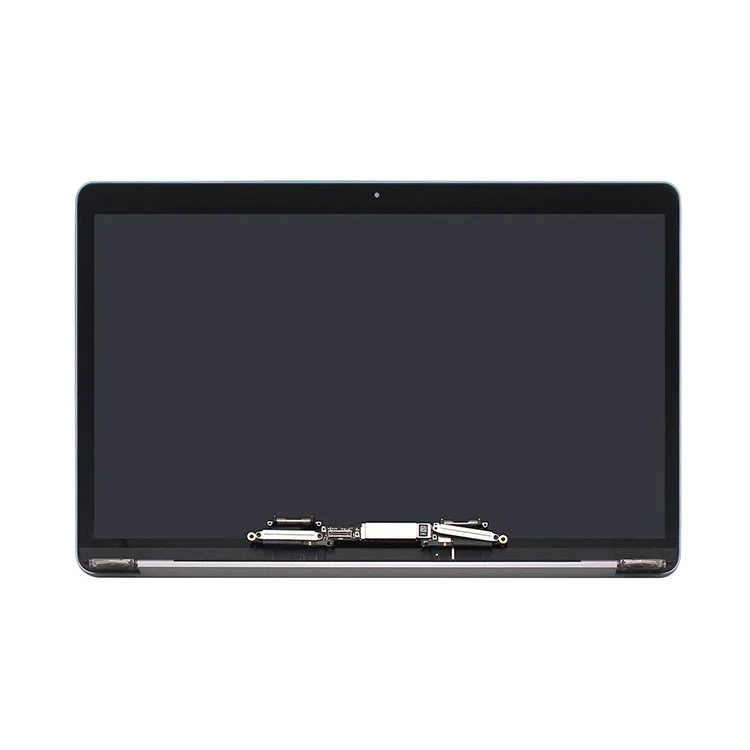
What Does "Better" Mean for a MacBook LCD Screen?
When considering an upgrade, you need to define your priorities. The table below breaks down common aspects of display quality and what you can realistically expect when replacing your original screen.
| Aspect | Original Apple Screen | Potential Upgrade Benefit |
|---|---|---|
| Resolution | Fixed per model | Usually same; some models support higher density |
| Color Gamut | P3 wide color (most newer models) | High-end replacements match or exceed P3 |
| Brightness | 300–500 nits typical | Some replacements offer enhanced brightness |
| Anti-Reflective Coating | Standard on original | Premium replacements include improved coating |
| Refresh Rate | 60Hz standard | Generally remains 60Hz unless originally higher |
| Price | High | Topyet offers cost-effective high-quality options |
While you cannot typically exceed the native resolution supported by your MacBook's logic board, you can often find LCD Screens for Macbook that restore or even improve upon the original factory specs in terms of contrast and color reproduction.
Types of LCD Screen Upgrades Available
Depending on your MacBook generation, you have several paths to consider when upgrading your display. The following list outlines the most common scenarios:
-
Direct Replacement with Premium Grade: Many manufacturers produce screens that meet or exceed Apple's quality control standards. These are often called "A+" or "premium" grade displays.
-
Retina to Retina Enhancements: For older Retina models, some replacement screens offer improved color accuracy or better anti-glare coatings.
-
Matte vs. Glossy: If your original screen is glossy, you might prefer a matte finish replacement for better outdoor visibility.
-
Compatibility Upgrades: In rare cases, you might adapt a screen from a slightly newer model, but this requires significant technical expertise.
It is important to note that any upgrade should maintain full compatibility with your MacBook's display connector and backlight system. Topyet ensures every screen we offer is rigorously tested for perfect compatibility.
Key Considerations Before Upgrading
Before purchasing a new display, ask yourself these questions to ensure you are making an informed decision:
-
Is your current screen beyond repair? If the LCD itself is damaged, replacement is the only option.
-
Do you need True Tone support? Some replacement screens preserve True Tone functionality if the original had it.
-
Is brightness important to you? Look for screens that specify nits (brightness level) higher than your original.
-
What is your budget? Topyet offers a range of options from cost-effective replacements to premium-grade panels.
Frequently Asked Questions About LCD Screens for Macbook
To help you further, here are three of the most common questions we receive about upgrading LCD Screens for Macbook.
Can I install a higher resolution LCD screen than my MacBook originally came with?
Technically, the resolution of a MacBook display is determined by the logic board and graphics hardware. While you cannot install a 4K screen in a model designed for 1440p without extensive modifications, you can find replacement LCD Screens for Macbook that offer better color accuracy, higher contrast ratios, and improved brightness compared to the original panel. These enhancements often make the display feel like a significant upgrade.
Will a third-party LCD screen affect my MacBook's performance or battery life?
A quality replacement screen from a trusted source like Topyet will not negatively impact performance. However, if the screen uses a different backlight technology or has higher brightness capabilities, it may draw slightly more power. That said, most high-quality replacements are engineered to match the original power consumption closely, ensuring your battery life remains consistent.
How do I know if a replacement LCD screen includes the necessary mounting brackets and cables?
When you purchase from Topyet, every LCD Screens for Macbook listing specifies exactly what is included. Many replacements come as a complete assembly with the LCD panel, front glass, and necessary brackets pre-installed. Some may require transferring the camera cable or Wi-Fi antennas from your old screen. Always check the product description to understand if you need to reuse any parts from your original display.
Why Choose Topyet for Your MacBook LCD Upgrade
Choosing the right supplier is just as important as choosing the right screen. Topyet stands out because we focus on quality, compatibility, and customer satisfaction. Our LCD Screens for Macbook undergo strict quality control to ensure they meet or exceed the original specifications. Whether you need a screen for a MacBook Air, MacBook Pro, or older models, we have the expertise to guide you.
We understand that upgrading your MacBook screen is an investment. That is why we provide detailed product descriptions, compatibility guides, and responsive customer support to help you every step of the way. When you choose Topyet, you choose reliability.
Conclusion and Next Steps
Upgrading your MacBook to a better LCD screen than the original is absolutely possible, especially when you select a high-quality replacement from a reputable provider. While you may not achieve a higher native resolution, you can certainly enjoy better color reproduction, improved brightness, and a like-new viewing experience.
If you are ready to upgrade your MacBook display or need assistance finding the right LCD Screens for Macbook, the team at Topyet is here to help. We offer a wide selection of premium replacement screens designed to restore and enhance your MacBook's performance.
Contact us today to discuss your needs or place an order. Visit our website or reach out to our support team for personalized assistance. Let Topyet help you see your MacBook in a whole new light.